
Minimal • Dark • Designed for iPhone • Updates Automatically
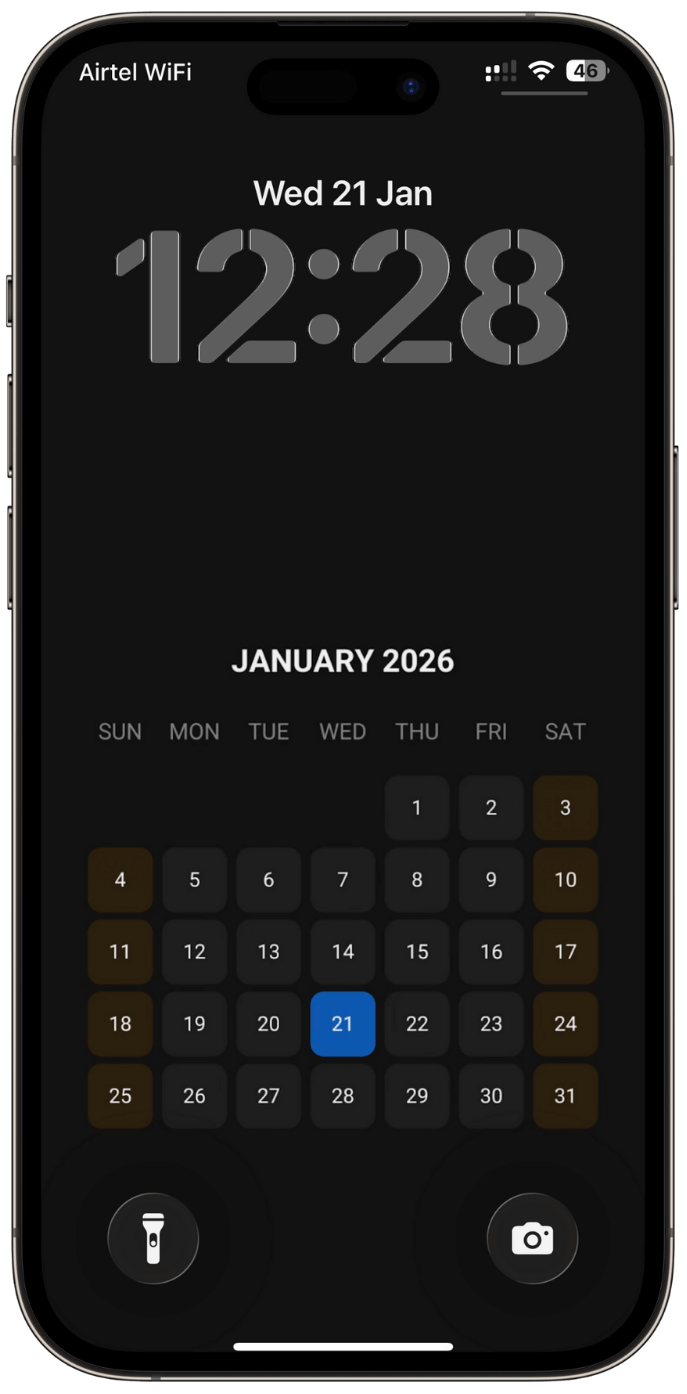
About This Wallpaper
This is a professionally designed dark calendar wallpaper for iPhone that updates automatically every month. No apps, no widgets — just a clean, distraction-free calendar always visible on your lock screen.
Wallpaper Installation Steps
- Click here to Install this iOS Shortcut
- Open the Shortcuts app on your iPhone.
- Go to the Automation tab and tap Create New Automation.
- Select Time of Day and set the time to 2:00 AM.
- Choose Daily, then tap Run Immediately, and Select Next.
- Tap on New Blank Automation.
- Search for Run Shortcut and add it.
- Choose Monthly Calendar Wallpaper shortcut.
- Tap the Run icon once to ensure the wallpaper is applied successfully.
- Tap Save to complete the setup.
* From now on, the wallpaper will refresh automatically at 2:00 AM each day.


0 Comments